Every ticket you’ve ever submitted — open, closed, or in progress — lives in the Support section. It’s your complete history with the ProTeams support team, and it’s always a few clicks away.
Overview
The Support section in ProTeams allows you to create, track, and manage your support tickets. You can view all your submitted requests, check their status, and monitor updates in one place.
Steps to Access Support
- Log in to your ProTeams account
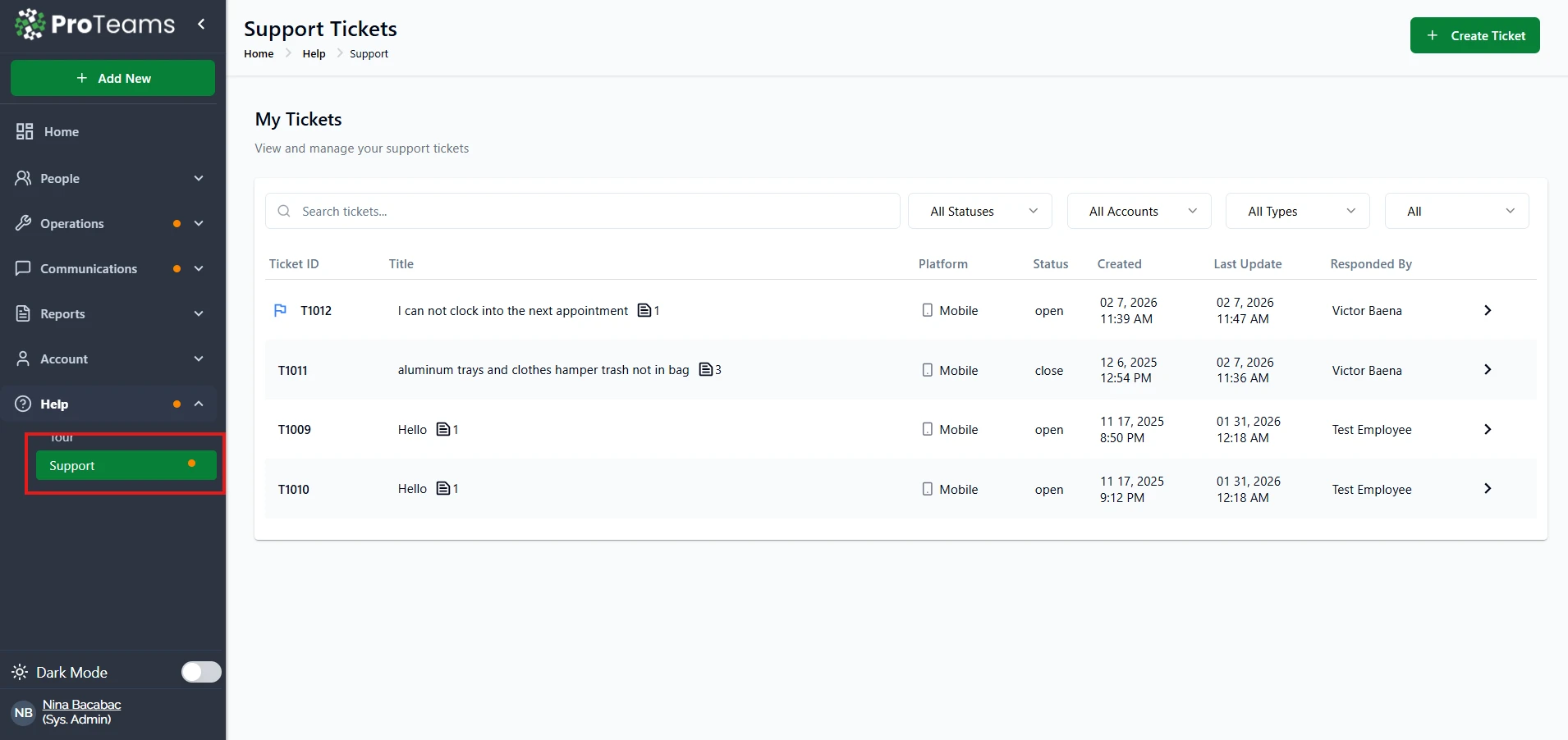
- From the left-hand menu, click Help
- Select Support
You will be redirected to the Support Tickets page.
Viewing Your Tickets
On the Support Tickets page, you will see a list of your tickets under My Tickets.
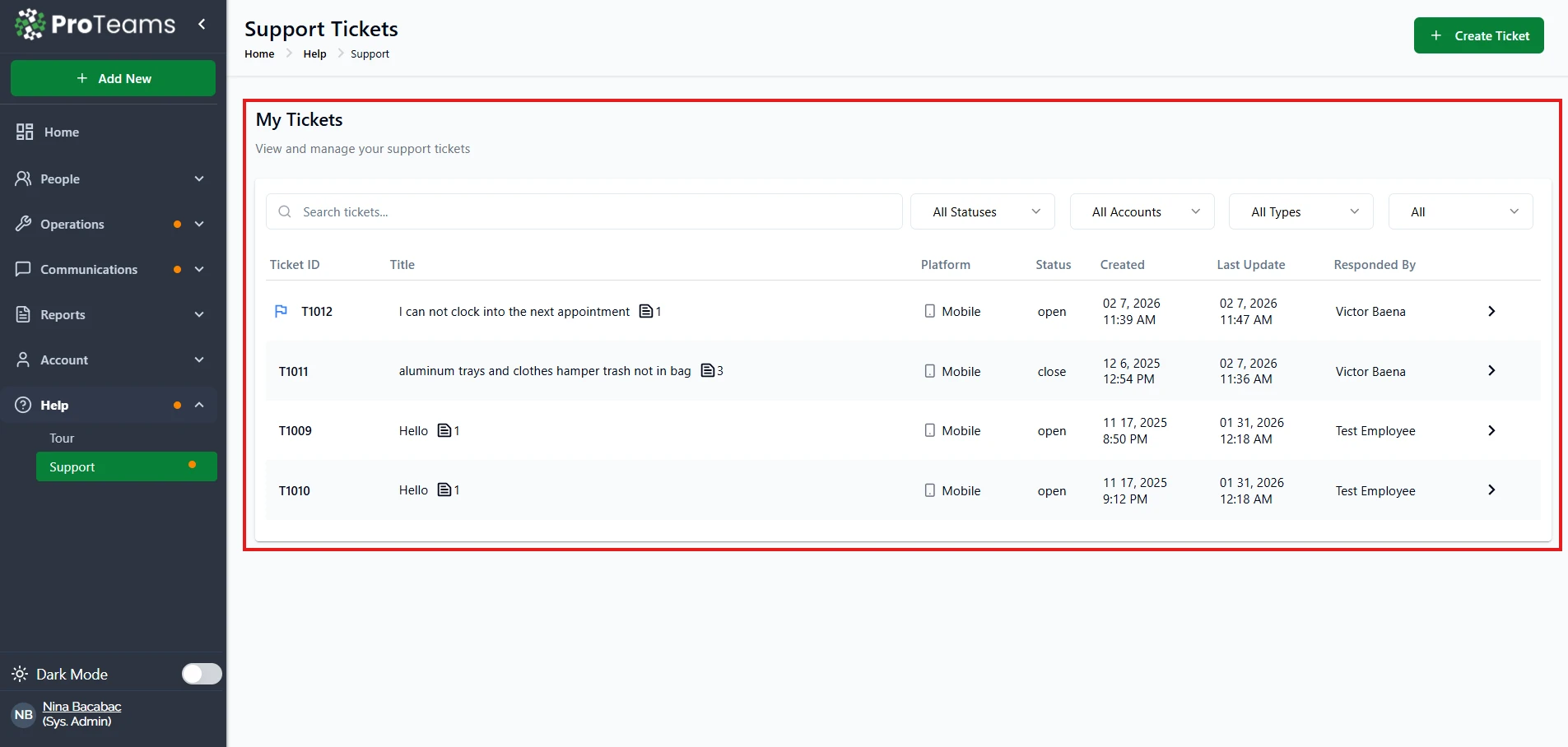
Each ticket includes the following details:
- Ticket ID – Unique reference number
- Title – Summary of your request
- Platform – Where the issue was reported (e.g., Mobile)
- Status – Current progress (e.g., Open, Closed)
- Created – Date and time the ticket was submitted
- Last Update – Most recent activity on the ticket
- Responded By – The person handling your request
Click on any ticket to view more details or updates.
Searching and Filtering Tickets
You can quickly find specific tickets using the available tools:
- Search Bar – Enter keywords or ticket ID
- Status Filter – View tickets by status (Open, Closed, etc.)
- Account Filter – Filter by account
- Type Filter – Filter by ticket type
Responses from the ProTeams support team appear in the ticket thread. Check your open tickets regularly — updates may come faster than a notification reaches you.