If clicking Generate Report didn’t produce results — or produced nothing at all — it’s almost always one of a small number of fixable causes. Work through these in order and you’ll be generating results in under two minutes.
Overview
If you’re unable to generate a report in ProTeams, it’s usually due to missing inputs, filters, or access limitations. This guide covers the most common reasons and how to fix them.
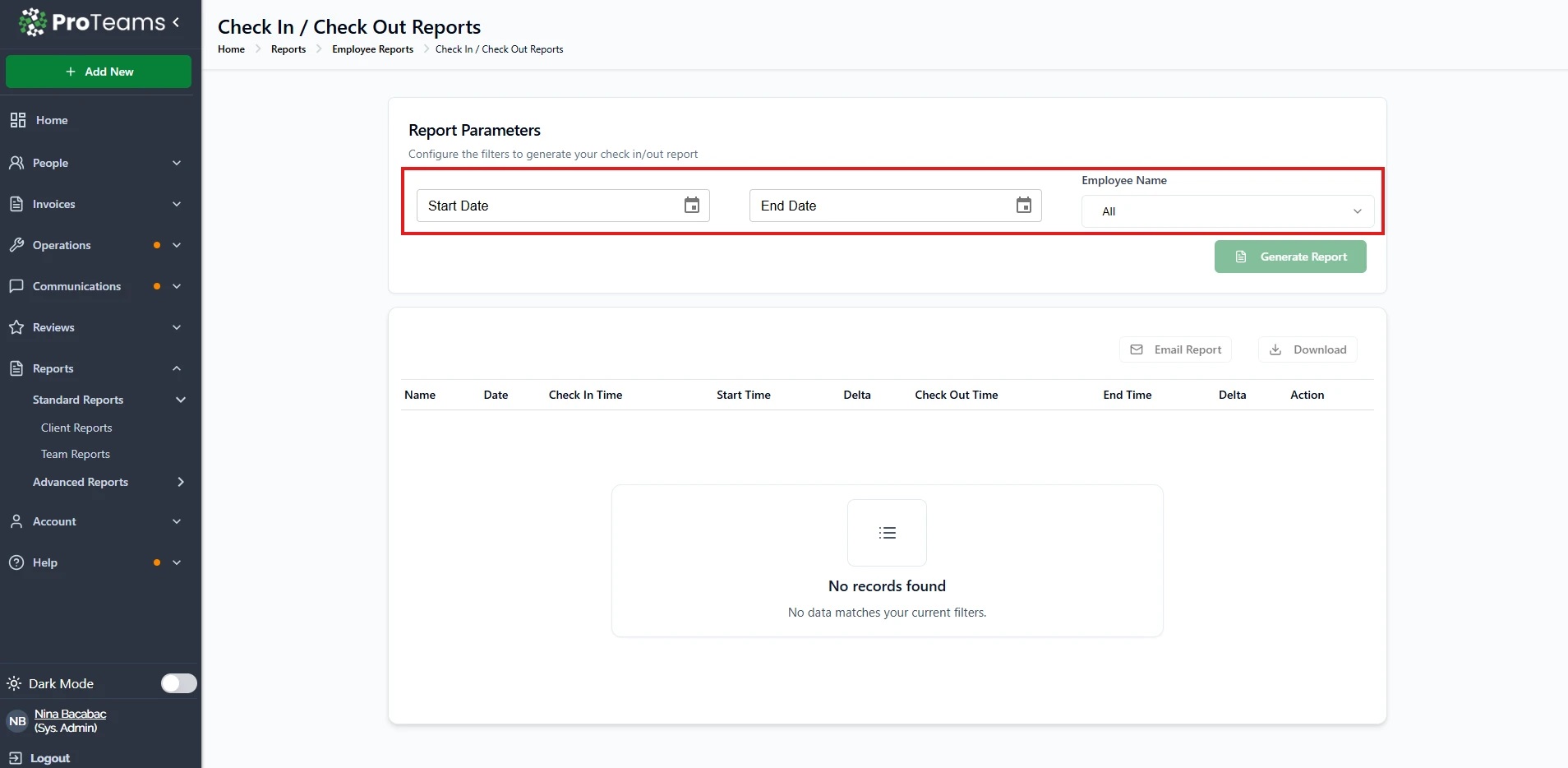
Common Reasons and Solutions
Some reports require specific inputs before they can be generated.
What to check:
- Start Date and End Date are selected
- Required fields (like Client or Employee) are filled
Fix: Make sure all required fields are completed before clicking Generate Report.
2. Invalid Date Range
Reports depend heavily on the selected date range.
What to check:
- Start Date is not after End Date
- Dates fall within your available data range
Fix: Adjust the date range and try again.
3. No Data Available
Sometimes the report runs, but there’s simply no data to display.
What you’ll see:
- “No records found” message
Fix:
- Expand your date range
- Change filters (client, employee, etc.)
- Confirm that activity exists for that period
4. Filters Are Too Restrictive
Applying too many filters can limit your results.
What to check:
- Selected client or employee
- Specific report filters
Fix: Try selecting All or removing some filters.
5. Report Not Yet Available
Some reports may not be active yet.
What you’ll see:
- “Coming Soon” label
Fix: This report is not available yet. Use other available reports in the meantime.
6. Permission or Access Issues
Your user role may limit access to certain reports.
What to check:
- Missing report options
- Disabled buttons
Fix: Contact your system administrator to request access.
7. System or Loading Issues
Temporary issues can sometimes prevent reports from generating.
Fix:
- Refresh the page
- Log out and log back in
- Try a different browser
Summary
If you are unable to generate a report in ProTeams, the issue is typically related to missing required fields, an invalid date range, restrictive filters, or user access permissions. Ensure that all required inputs are completed, your date range is valid, and your selected filters match available data. If the issue persists, verify your access permissions or refresh the system and try again.
Still stuck? Submit a support ticket with a screenshot of your report parameters. The team can diagnose it faster with a visual.