If a client ever disputes a service, your Proof of Service record is the difference between a confident response and an awkward conversation. Setting it up per client means you’re building that documentation automatically, on every shift.
What Is Proof of Service in ProTeams?
Proof of Service is a feature in ProTeams that allows managers and clients to verify that assigned tasks were completed as expected. It provides a clear record of work activity by showing task status, completion percentage, and any supporting photos submitted by employees. This feature helps improve accountability, transparency, and reporting across your operations.
Proof of Service is commonly used for scheduled services such as housekeeping, valet trash, maintenance, or inspections where visual confirmation or completion tracking is required. How To Set Up Proof Of Service Step 1: Go to Client Management
- Go to the left sidebar
- Click People
- Select Clients
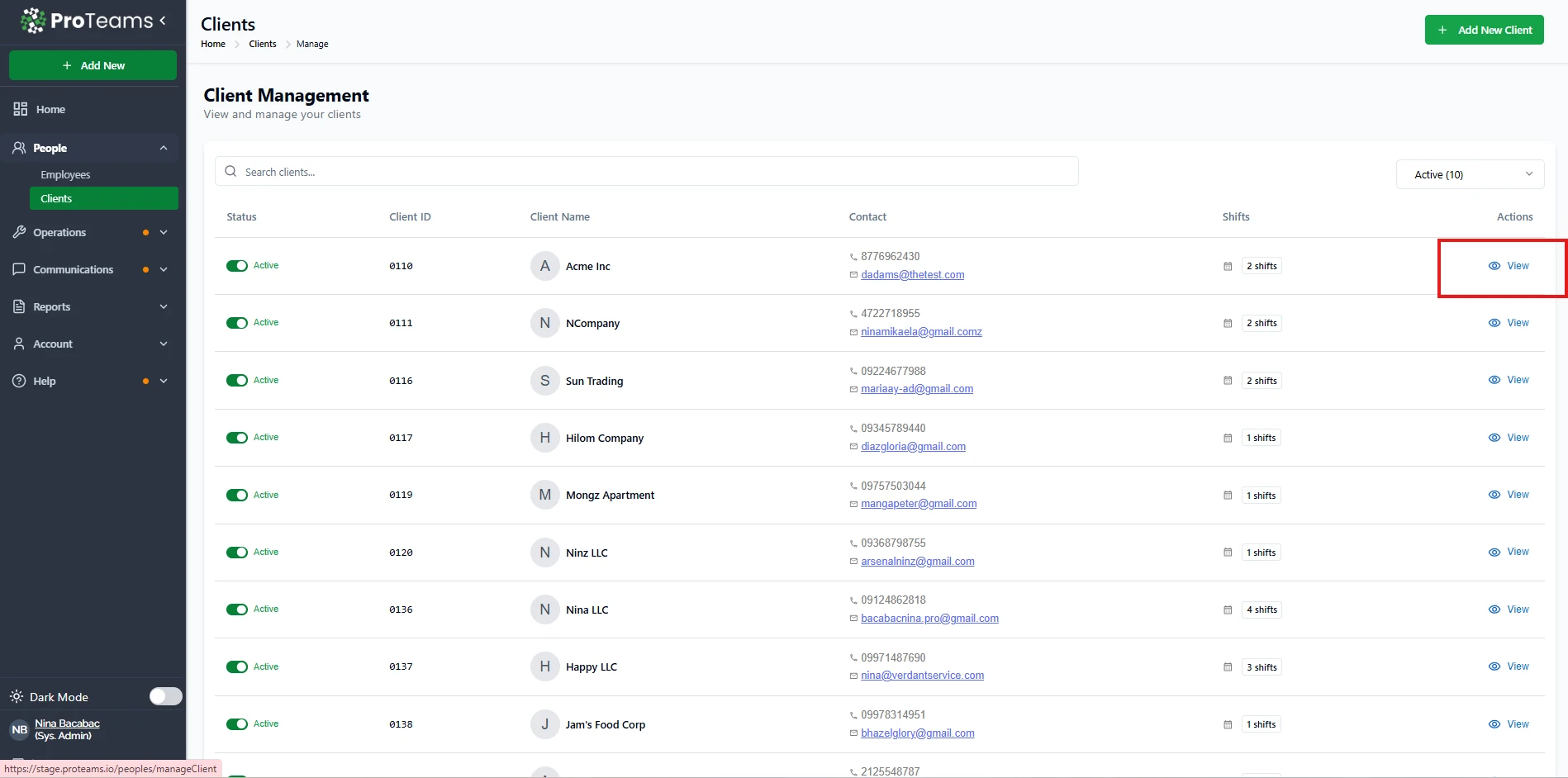
This page shows all your clients, their status, contact details, and assigned shifts.
Open a Client
- Find the client in the list
- Click View under the Actions column
This will open the client’s profile.
Go to Shifts Tab
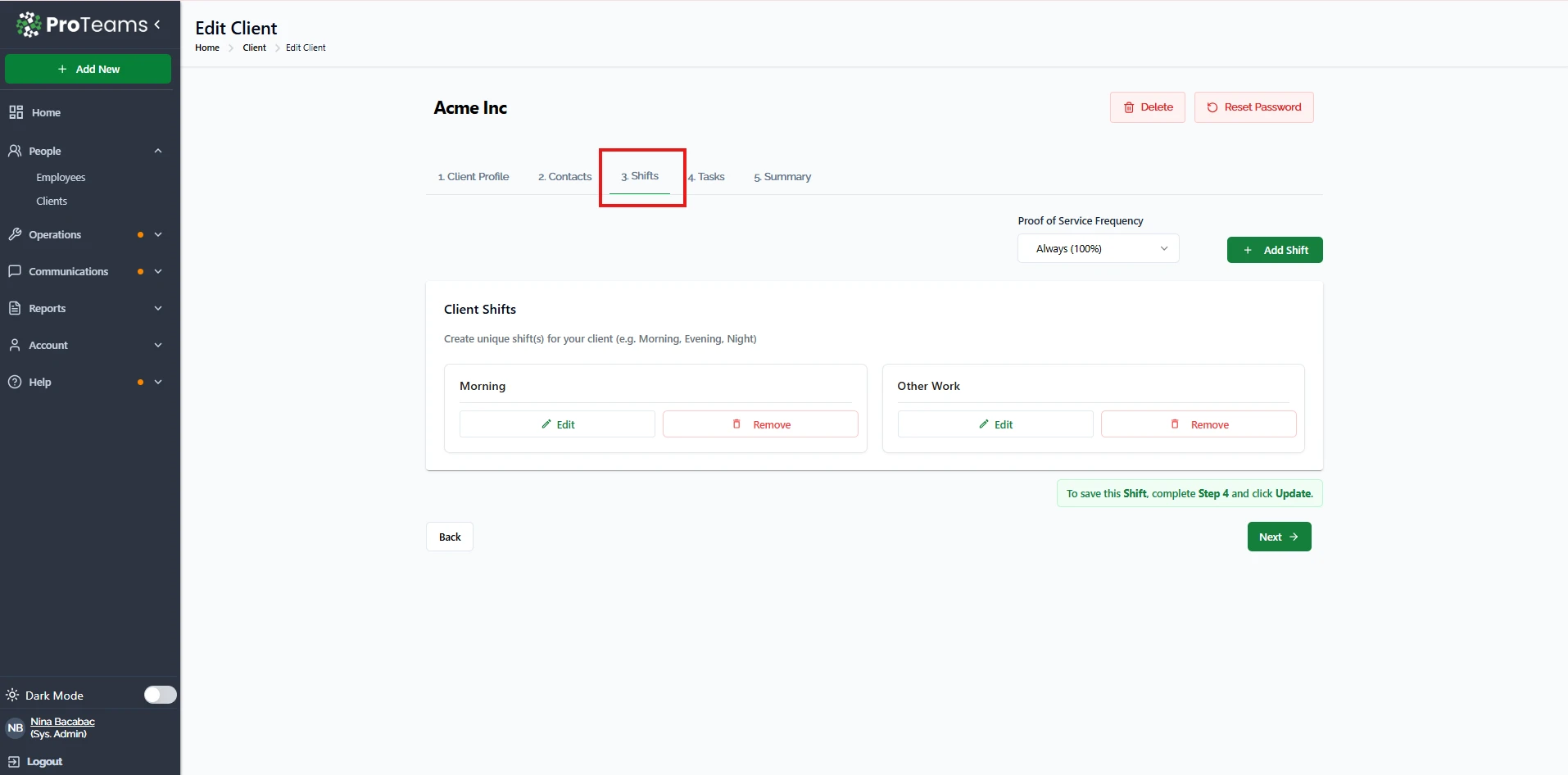
Inside the client profile:
- Click Shifts
- You will see all shift types assigned to that client (e.g., Morning, Evening, Other Work)
Set Proof of Service Frequency
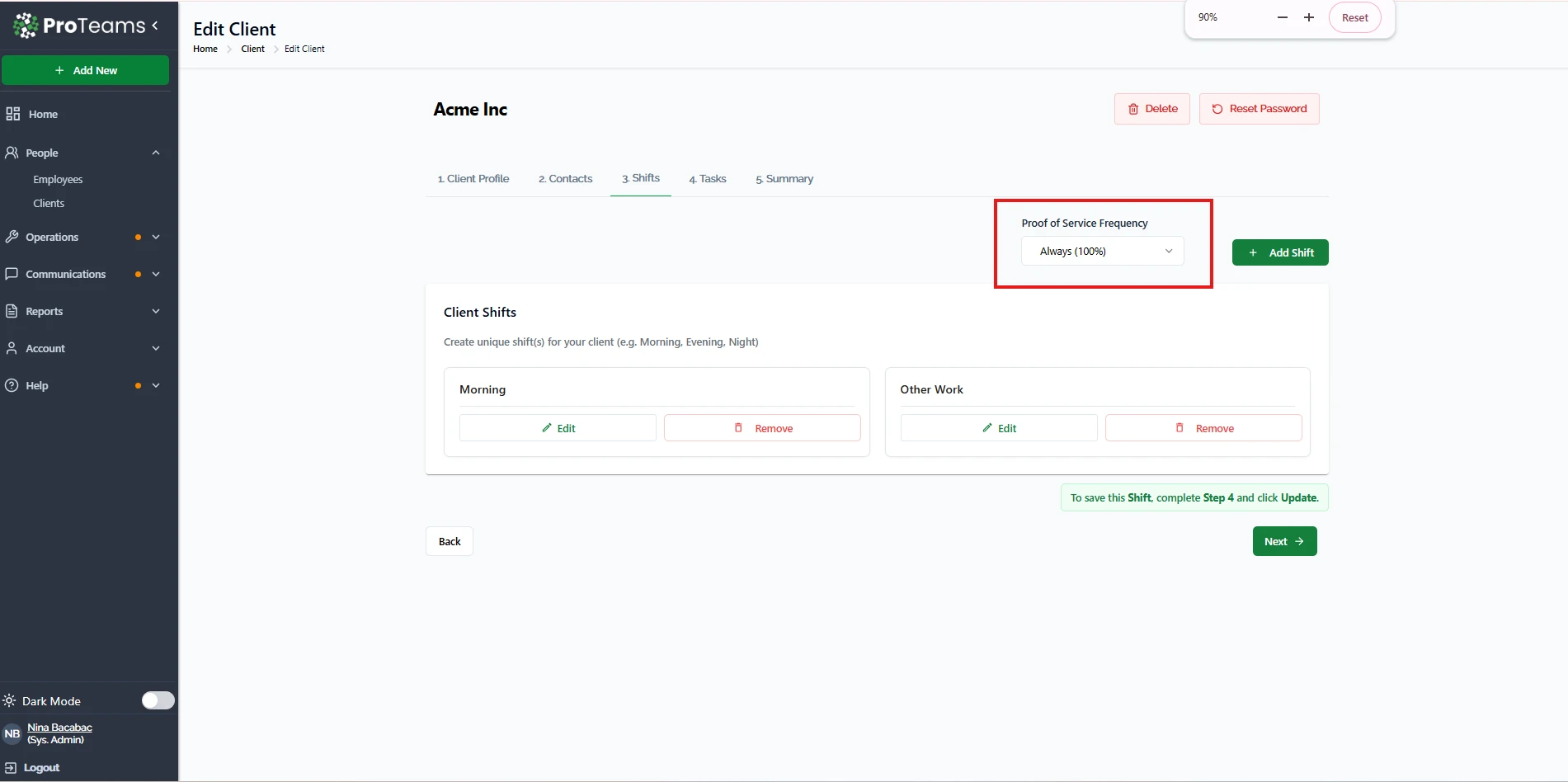
At the top of the Shifts section, you will find:
Proof of Service Frequency
This controls how often proof is required for that client.
Example:
- Always (100%) → Proof is required for every shift
Other configurations may allow partial requirements depending on setup.
Assign and Manage Shifts
You can:
- Add new shifts using + Add Shift
- Edit existing shifts
- Remove shifts if no longer needed
Each shift will follow the Proof of Service rules you set.
How It Works (Client-Level Flow)
- A client is created
- Shifts are assigned to that client
- Proof of Service frequency is set
- Employees assigned to that client complete shifts
- They submit proof based on the required frequency
- Data is tracked in the Proof of Service dashboard
How This Connects to the Dashboard
All client data feeds into:
- Proof of Service → Issues View (Missing proofs, late submissions, non-compliance)
- Proof of Service → Performance View (Completed proofs, on-time submissions, compliance)
Why This Matters
Setting Proof of Service per client allows you to:
- Customize requirements based on client needs
- Ensure accountability per shift
- Track performance per client and site
- Maintain consistent service quality
Best Practice
- Set Proof of Service Frequency to Always (100%) for strict clients
- Review shifts regularly to ensure accuracy
- Monitor results in the Proof of Service dashboard
This ensures each client gets the level of service and reporting they expect.
Set Proof of Service Frequency to Always (100%) for any client where a single undocumented shift could put the contract at risk.