As orders complete, they don’t need to clutter your active supply list. Archiving moves them out of the way while keeping everything accessible — nothing is deleted, nothing is lost.
An archived supply request in ProTeams is a supply order that has already been completed or no longer needs active management. Archiving helps keep the Manage Supplies page focused on current and in-progress orders while preserving older requests for reference.
Archived supply requests are not deleted. They are stored securely for tracking, reporting, and historical review.
How a Supply Request Becomes Archived
A supply request is typically archived when:
- All items in the order have been delivered, or
- The request has been fully processed and closed, or
- The order no longer requires updates or follow-up
Once archived, the request is removed from the active Supply Management list.
Where to Find Archived Supply Requests
- Go to Operations in the left sidebar.
- Click Supplies, then select Manage.
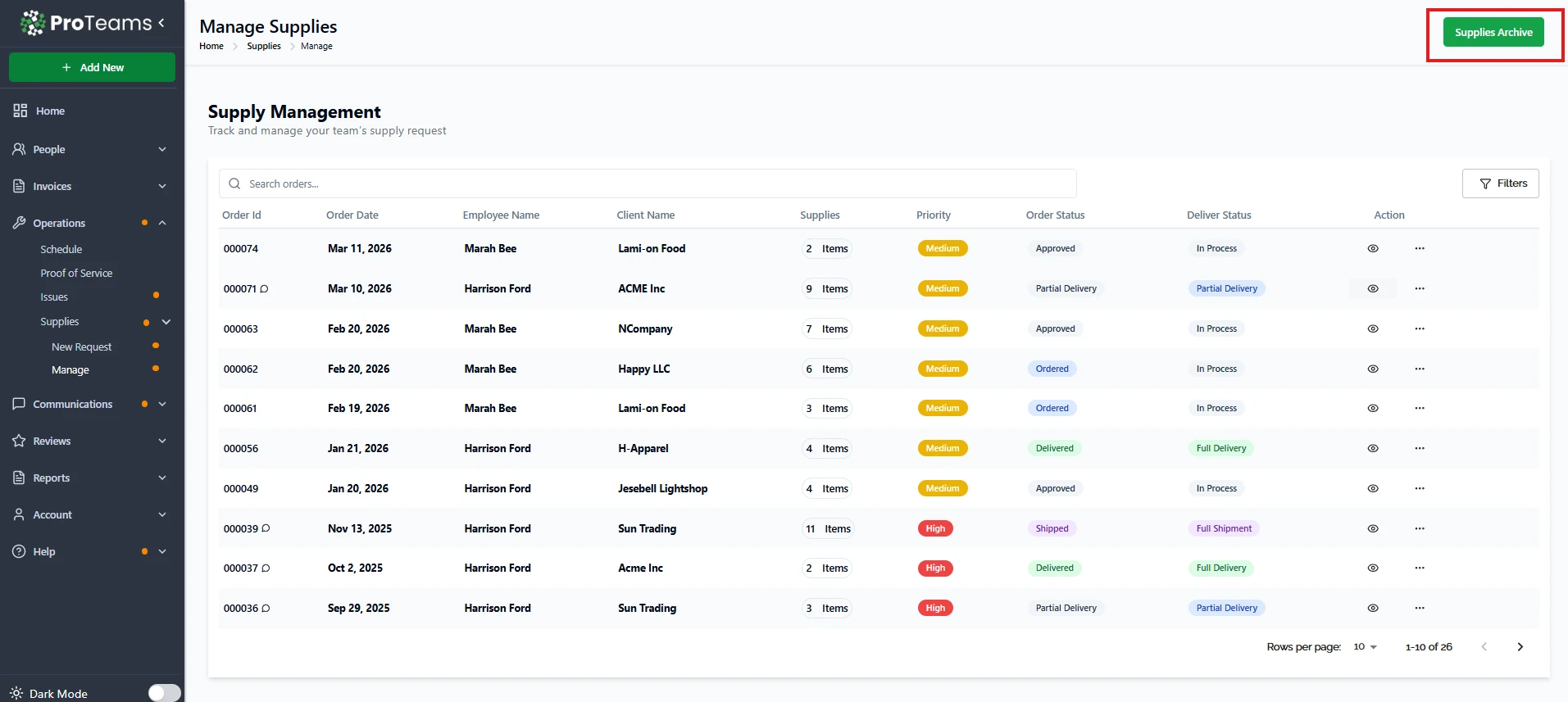
- Click the Supplies Archive button in the top-right corner of the page.
This opens the archive view, where all past supply requests are stored.
What Information Is Retained in Archived Requests
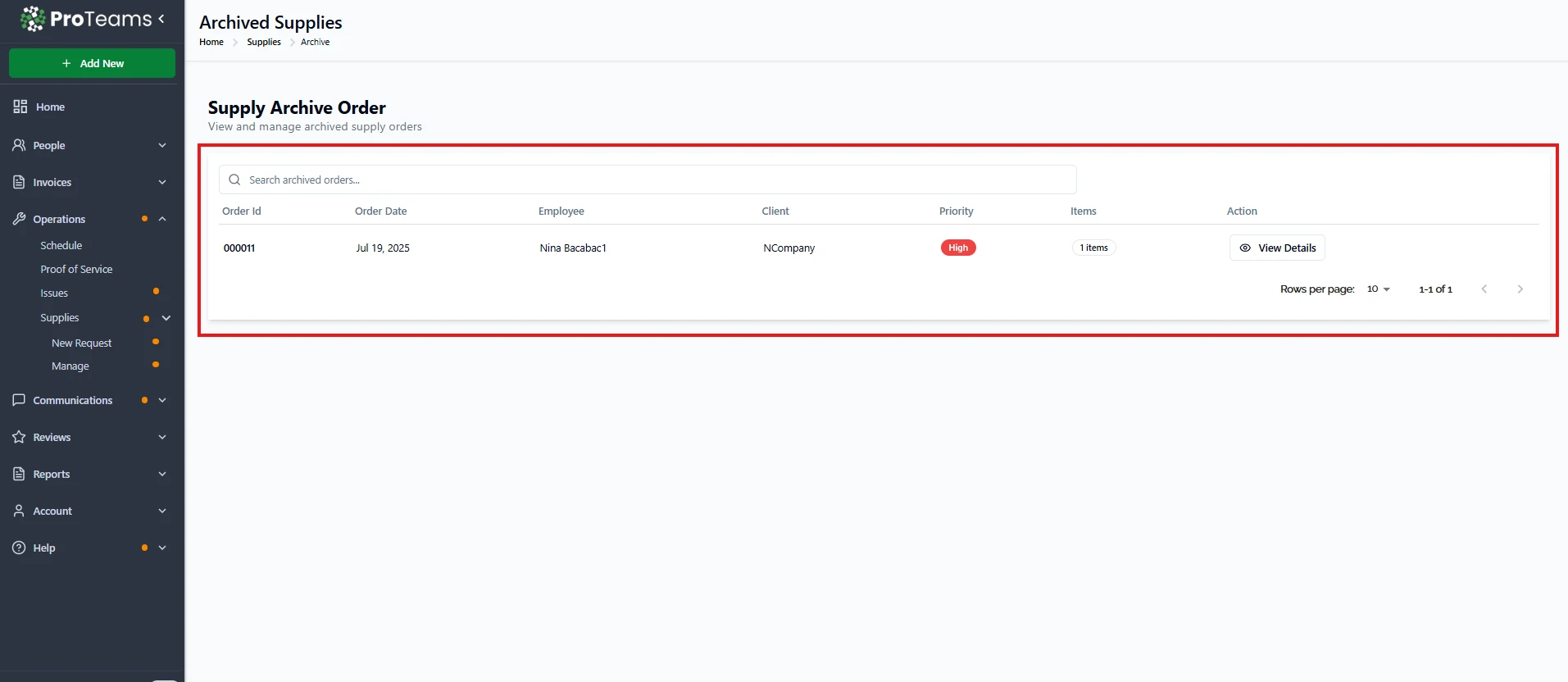
Archived supply requests still include:
- Order ID and order date
- Employee and client information
- Items
- Priority level
All data remains intact for future reference.
What You Can Do With Archived Supply Requests
From the archive, you can:
- View order details
- Restore order
- Review notes and delivery history
- Use archived data for audits or reporting
- Reference past supply activity for recurring needs
Archived requests are read-only and cannot be actively updated unless restored, if allowed by system permissions.
What Archiving Does Not Do
Archiving a supply request does not:
- Delete the order
- Remove notes or item details
- Affect reporting accuracy
- Prevent historical access
It simply moves the request out of the active workflow.
Best Practice
Archive supply requests only after all items have been delivered and no further action is required. This keeps supply management organized and efficient.
Summary
An archived supply request in ProTeams is a completed or inactive see order that has been moved out of the active Manage Supplies list. Archived requests remain fully accessible in Supplies Archive for record-keeping, reporting, and reference, without cluttering the active supply workflow.
Archive supply requests only after all items are confirmed delivered. Premature archiving makes it harder to track partial deliveries.