Not every message is for everyone. Public and Private channels give you control over who sees what — so your site supervisors aren’t drowning in messages that don’t concern them, and sensitive operational conversations stay with the right people.
Live Chat in ProTeams allows your team to communicate in real time using channels. Channels help organize conversations so the right people see the right messages.
There are two types of channels you can use: Private and Public.
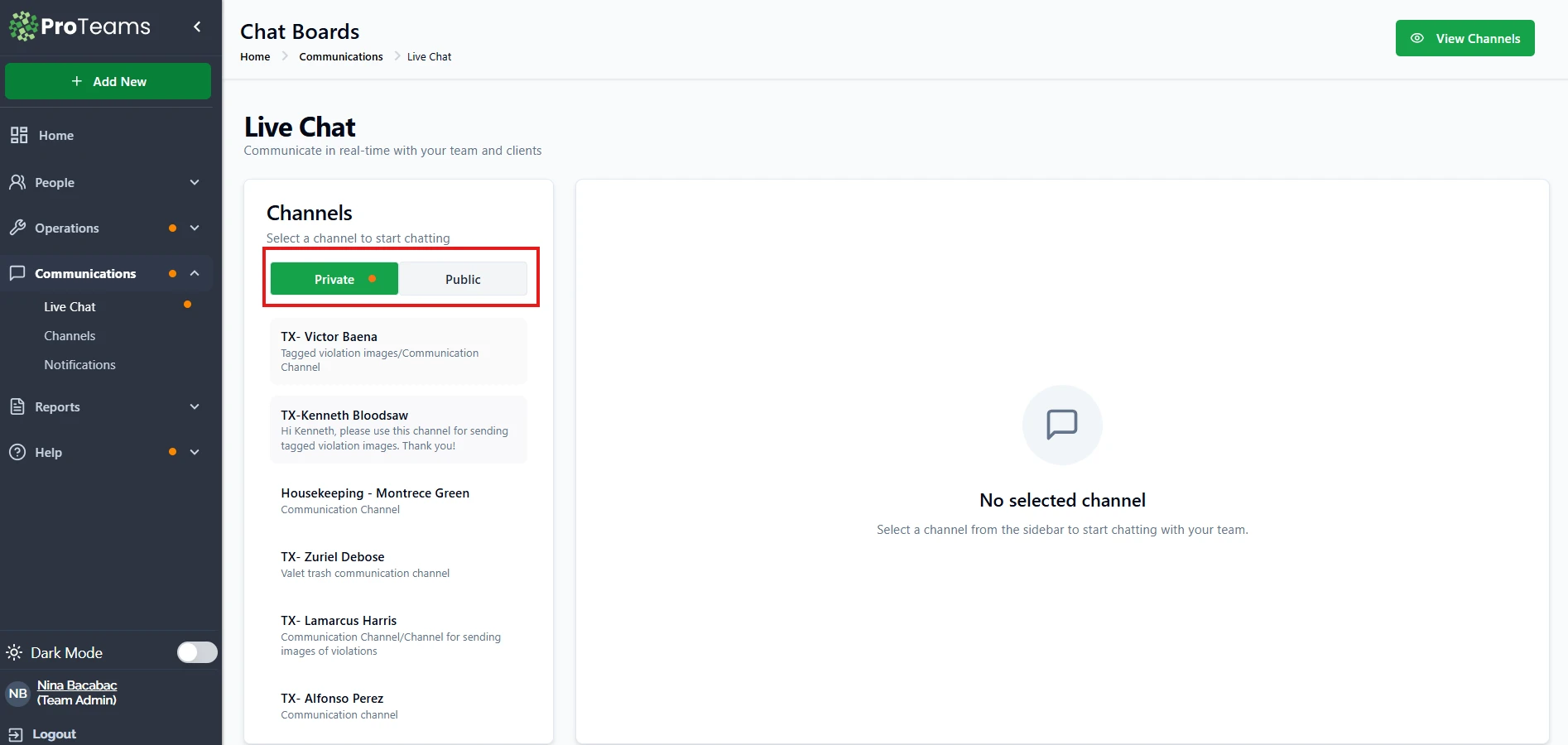
Private Channels
Private channels are designed for focused, restricted communication.
What Private Channels Are Used For
Private channels are best for:
- One-on-one communication with an employee
- Client-specific discussions
- Sharing sensitive or internal information
- Sending updates, instructions, or violations to a specific employee or team
Who Can See Private Channels
- Only users who are explicitly assigned to the channel can view and participate
- Other team members cannot see the channel or its messages
Private channels are ideal when conversations should remain confidential or limited to specific people.
Public Channels
Public channels are open communication spaces visible to your entire organization.
What Public Channels Are Used For
Public channels are best for:
- Company-wide announcements
- General updates or reminders
- Team-wide discussions
- Sharing information everyone should see.
Who Can See Public Channels
- All users within your organization can view and join public channels
- Messages are visible to everyone with access to Live Chat
If no public channels exist yet, you’ll see a prompt asking you to create one.
When to Use Each Channel Type
Use Private Channels when:
- The message is employee-specific
- The conversation includes sensitive details
- You want focused, distraction-free communication
Use Public Channels when:
- The message applies to everyone
- You want transparency and shared awareness
- You’re making announcements or general updates
Summary
Public and private channels help you organize communication in ProTeams:
Private channels keep conversations secure and targeted. Public channels keep everyone informed and aligned. Using the right channel type ensures clearer communication and better collaboration across your team.
Default to Private for operational conversations. Use Public only for things that truly apply to your entire team.