Live Chat is for conversation. Notifications are for announcements — one-way messages that go from you to your team. Shift reminders, policy updates, urgent alerts: anything you need to push to a specific group without opening a discussion thread.
Notifications in ProTeams are a built-in communication tool that lets you send important messages and announcements to your team through multiple channels — all from one place.
They help you make sure the right people get the right message at the right time.
Where to Find Notifications
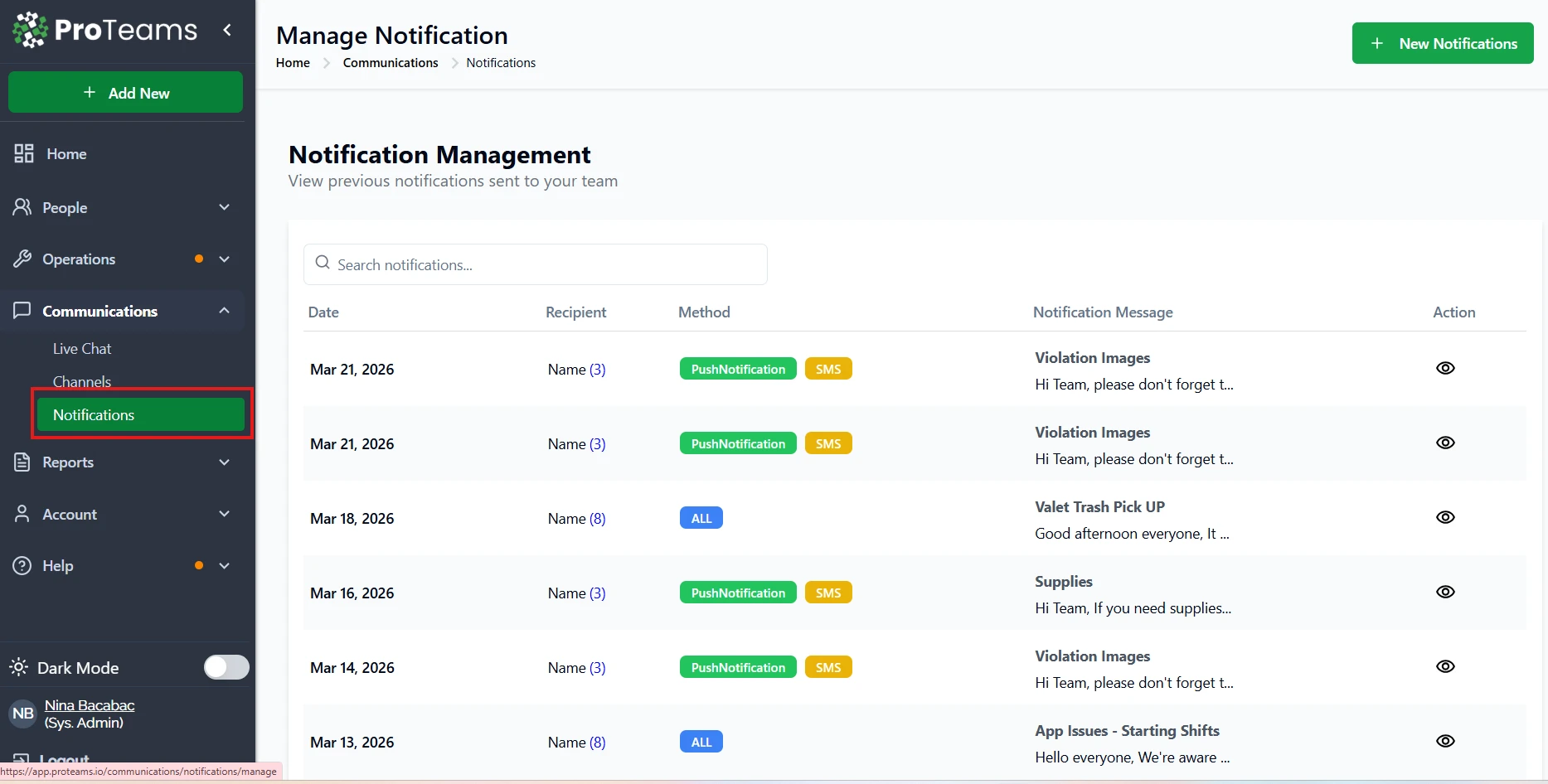
You can manage notifications by going to: Communications → Notifications
From there, you can:
- View past notifications
- Search by date or message
- Create new notifications
- Review delivery methods and recipients
What Notifications Are Used For
Notifications are designed for official, one-way communication, not casual chatting. They are best used when you need to inform, remind, or alert your team.
Common use cases include:
- Schedule or shift reminders
- Holiday or office closure announcements
- Policy updates or operational notices
- Urgent instructions or alerts
- Supply reminders or task follow-ups
Once sent, notifications are logged so you can track what was communicated and when.
How Notifications Are Delivered
ProTeams allows you to send notifications through one or more of these methods:
- Push Notifications Instant alerts sent to the ProTeams mobile app
- SMS Text messages sent directly to employees’ phones
- Email Longer or more detailed messages sent to inboxes
You can choose one channel or combine multiple depending on urgency.
What You Can Control in Notifications
When creating a notification, you can:
- Select specific employees or groups
- Choose how the message is delivered (Push, SMS, Email)
- Write a subject and message
- Send immediately or schedule it for later
- Preview the notification before sending
This gives you full control over who receives the message and how.
Notifications vs Live Chat
It’s important to know the difference:
- Notifications One-way, official messages Used for announcements, alerts, and reminders No replies required
- Live Chat Two-way conversations Used for discussions, questions, and coordination Informal and ongoing
Think of notifications as company announcements, and live chat as team conversations.
Notifications are not conversations — recipients can read them but can’t reply. If you need two-way communication, use Live Chat instead.