Text threads, WhatsApp groups, emails — when your team communication is scattered across multiple apps, things get missed. Live Chat keeps all of it inside ProTeams, organized by channel, tied to your operation, and available to the right people.
- What is the live chat, and how can I use it for my team?
Live Chat is ProTeams’ built-in real-time messaging tool that allows your team to communicate instantly inside the platform. It replaces scattered messages from text, email, or third-party apps by keeping all work-related conversations in one place.
Live Chat is designed for:
- Day-to-day team communication
- Shift-related updates and instructions
- Sending images, notes, and clarifications
- Client or site-specific conversations
Each chat happens inside a channel, making conversations organized and easy to track.
Where to Find Live Chat
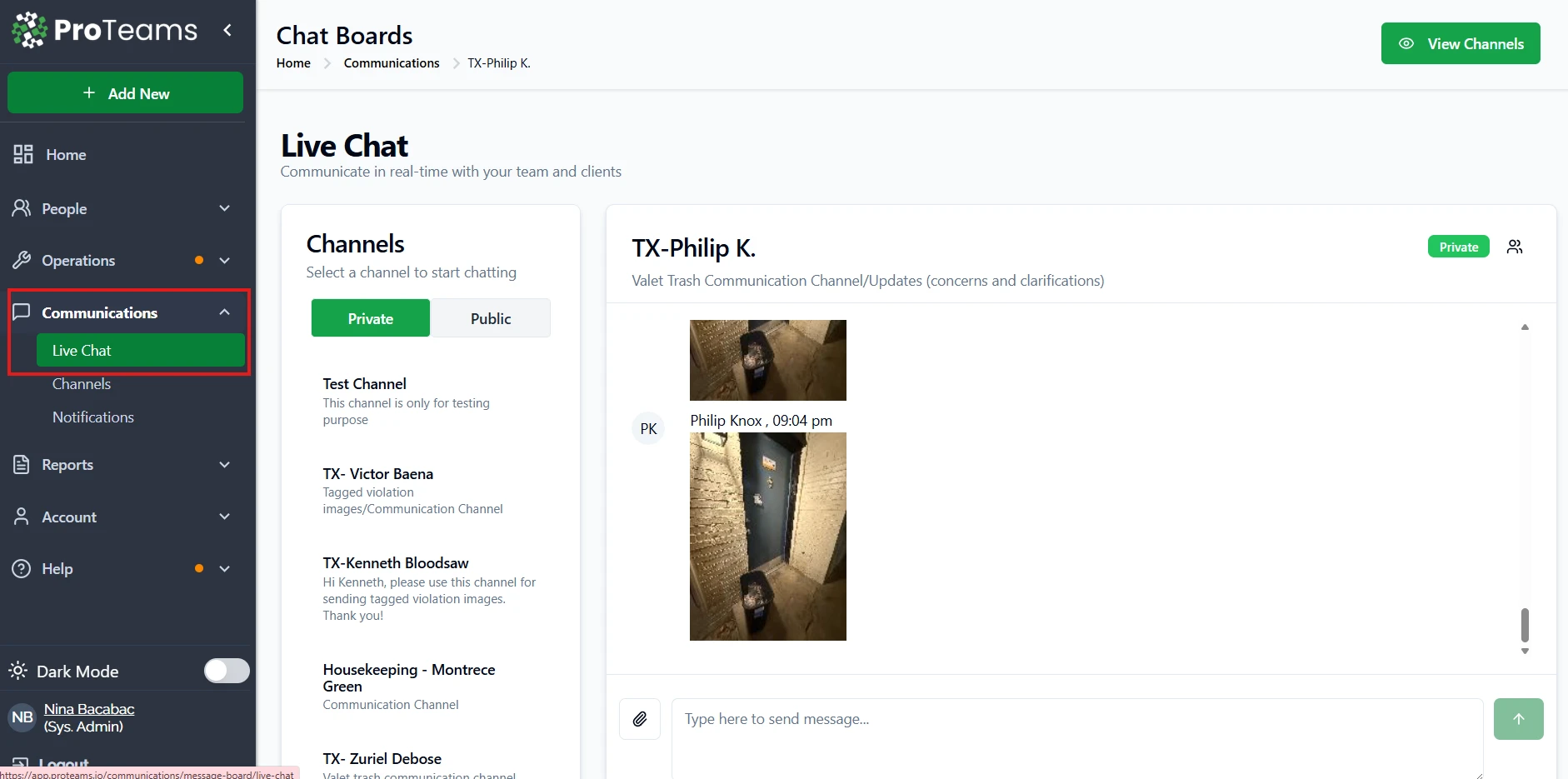
- From the left sidebar, go to Communications
- Click Live Chat
- You’ll be taken to the Chat Boards screen
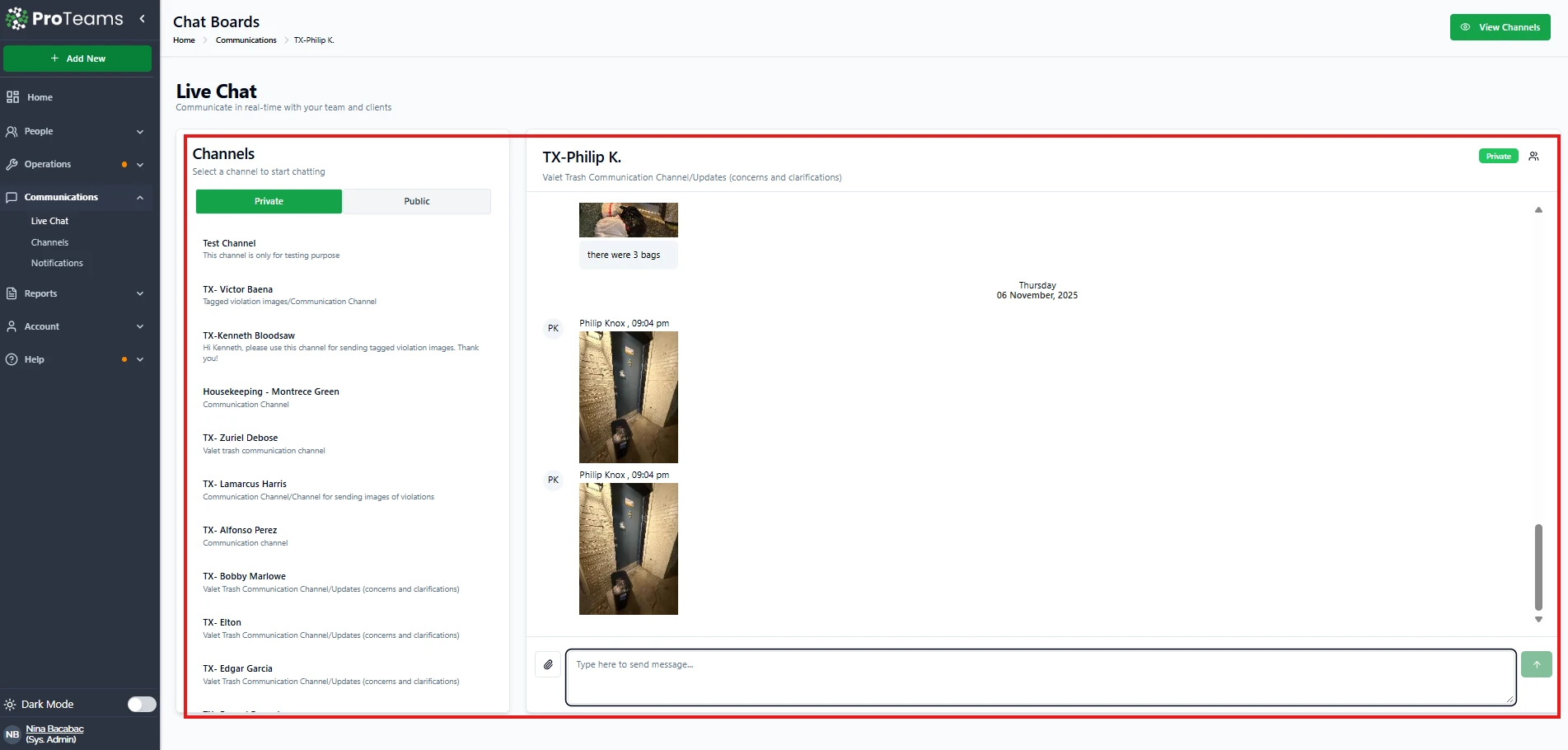
On this page, you’ll see:
- A Channels list on the left
- The chat window on the right
If no channel is selected, you’ll see a message saying “No selected channel.”
How to Start a Chat
- Open Communications → Live Chat
- Choose Private or Public
- Click a channel from the list
- The chat window will open on the right
- Start typing your message send
- You can also upload a file by clicking the file upload button at the left side of the message box.
Once selected, all messages for that channel stay in one continuous thread.
What You Can Use Live Chat For
Live Chat is commonly used to:
- Share shift instructions or last-minute updates
- Send violation photos or work images
- Clarify tasks or responsibilities
- Communicate directly with specific employees
- Keep client-related discussions organized by channel
Because chats are tied to channels, conversations stay contextual and easy to reference later.
Best Practices for Using Live Chat
- Use one channel per employee or team to avoid confusion
- Keep work conversations inside Live Chat instead of text messages
- Use clear, short messages for faster response
- Share images or updates directly in the relevant channel
- Avoid mixing unrelated topics in the same channel
Why Use Live Chat Instead of External Messaging Apps?
- Everything stays inside ProTeams
- Conversations are tied to work, shifts, and people
- No lost messages or scattered threads
- Easier monitoring for admins and supervisors
Summary
Live Chat in ProTeams helps your team:
- Communicate faster
- Stay organized by channel
- Reduce missed messages
- Keep all work communication in one system
It’s the recommended way to handle internal communication across your operations.
If your team is currently coordinating across WhatsApp or personal text threads, move those conversations into ProTeams channels. Everything stays in one place and on the record.