The Support tab is your operational triage view. Issues reported by employees, supply requests waiting on approval, support tickets your team has submitted — all in one place so you can see what needs attention without navigating five different sections.
The Support Tab inside the Communication Channel is where you can view team-related updates and operational items that need attention. This includes Team Issues, Supply Requests, and My Tickets.
It acts as a centralized space for monitoring what’s happening across your team.
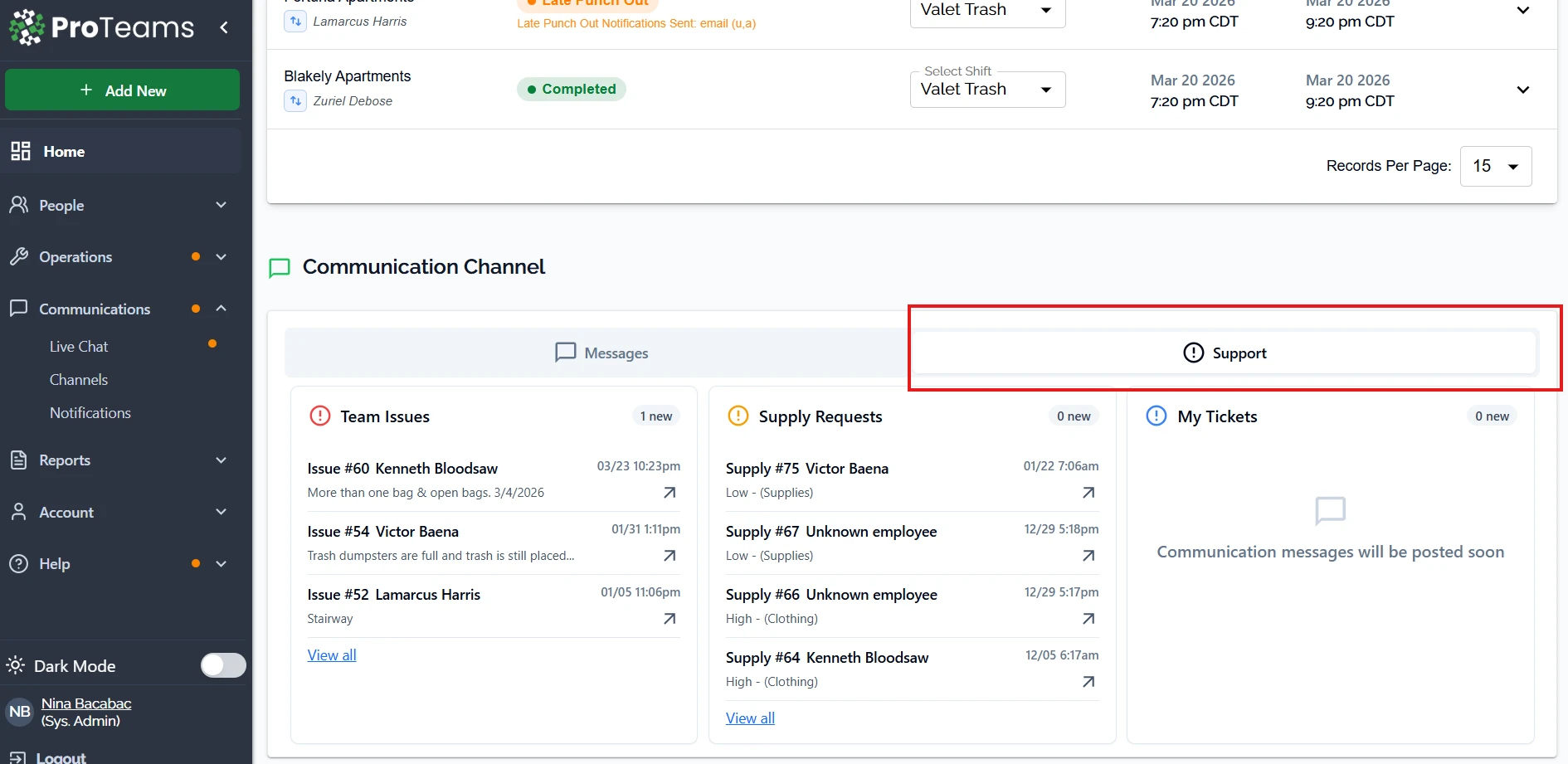
What You’ll See in the Support Tab
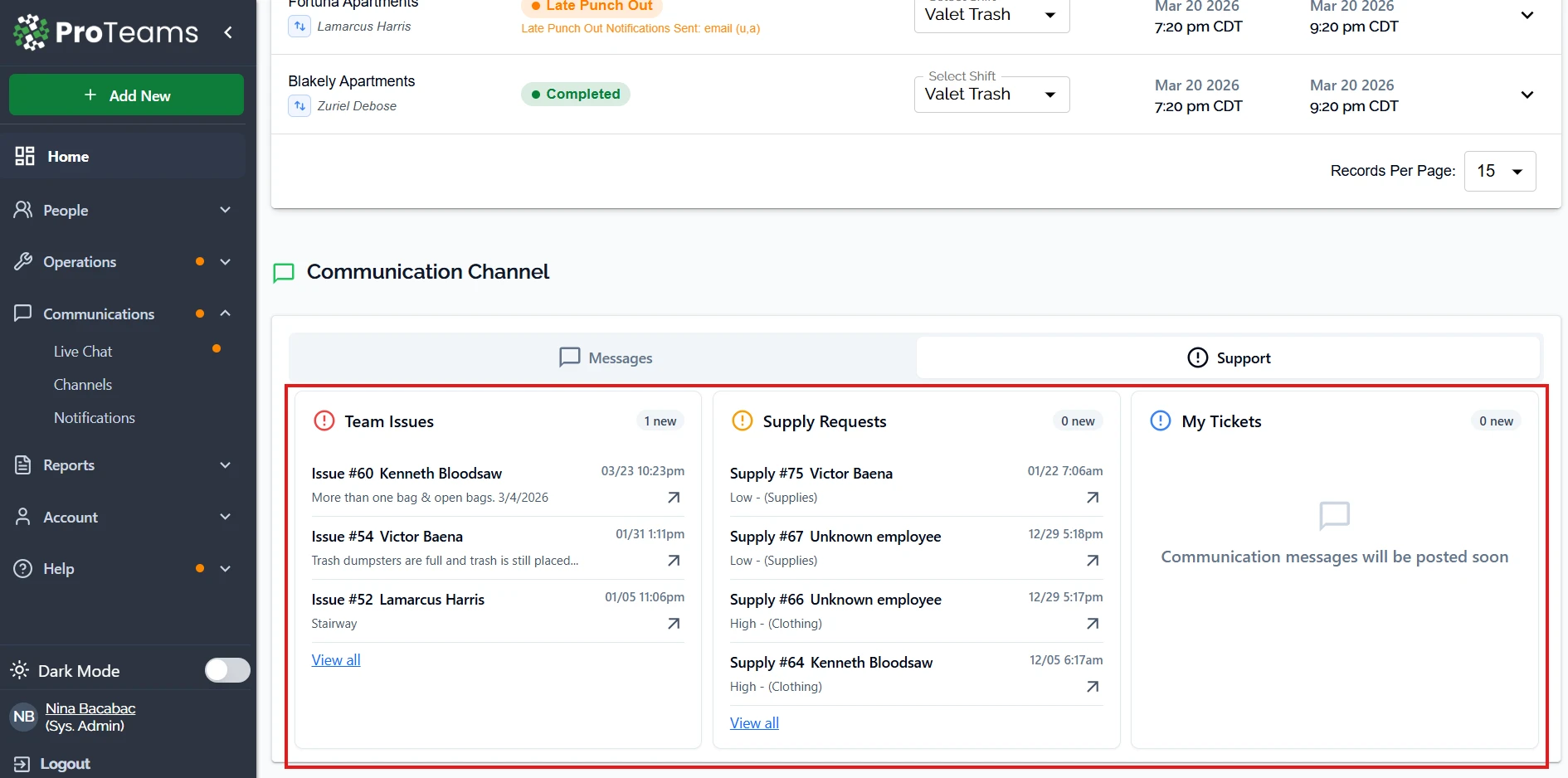
Team Issues
This section shows problems reported by team members.
What you’ll see:
- Issue number and employee name
- Brief description of the issue
- Date and time submitted
How to use it:
- Review issues that may affect operations
- Identify recurring problems
- Take action or follow up with your team
Supply Requests
This section displays requests for supplies or materials.
What you’ll see:
- Request number and employee name
- Priority level (Low or High)
- Category (such as Supplies or Clothing)
- Date and time submitted
How to use it:
- Review and prioritize requests
- Ensure teams have what they need
- Prevent delays in operations
My Tickets
This section is your personal support inbox.
What you’ll see:
- Messages or updates related to your submitted tickets
If there are no updates, you will see: “Communication messages will be posted soon.”
When to Use the Support Tab
Use this tab when you want to:
- Monitor team issues in real time
- Track supply requests
- Check your personal support tickets
- Stay on top of operational updates
Important Note
Even though it is labeled Support, this tab is not limited to system messages. It also includes day-to-day team activity that requires your attention.
Best Practice
Check the Support tab regularly throughout the day. This helps you respond faster, keep your team supported, and avoid missed issues.
Think of the Support tab as your morning briefing. Two minutes here tells you if anything critical came in overnight.