The Client Summary is your at-a-glance view of how a specific account is performing. Before a client call, before a contract renewal conversation, before an operational review — this is the page you open to get the full picture in under a minute.
What is the Client Summary?
The Client Summary is a high-level overview of a client’s information and activity within ProTeams. It allows administrators to quickly understand the status, workload, and operational setup of each client without opening multiple pages.
The Client Summary is visible from the Client Management page and is further detailed inside each client’s profile under the Summary tab.
Client Summary on the Client Management Page
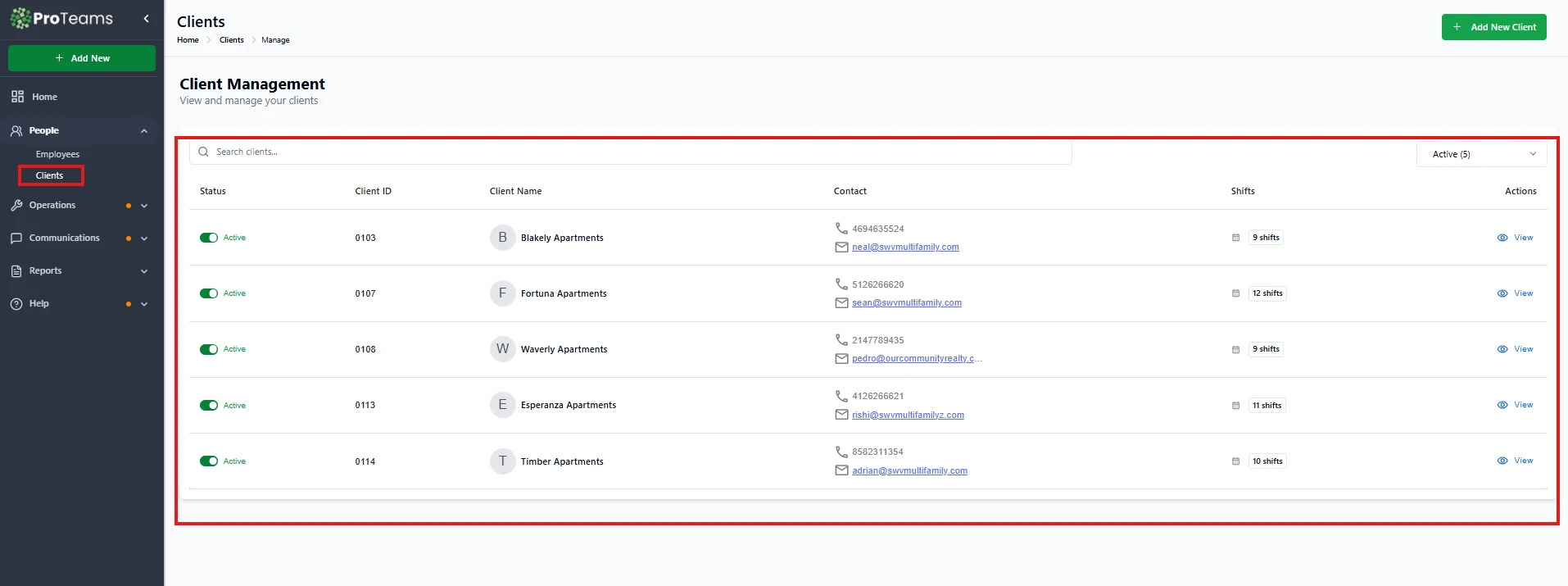
From the Client Management table, each client row provides quick summary details:
Status
Shows whether the client is Active. Active clients are available for scheduling, shifts, and task assignments.
Client ID
A unique identifier assigned to the client. This is useful for internal reference, reporting, and support.
Client Name
Displays the name of the client, property, or account. This helps quickly identify where work is being performed.
Contact
Shows the primary contact information for the client:
- Phone number
- Email address
This allows quick communication when needed
Shifts
Displays the total number of client shifts assigned to the client. This gives immediate insight into how many service types or schedules exist for that client.
Actions (View)
Clicking View opens the client’s full profile, where more detailed information is available.
Client Summary inside the Client Profile
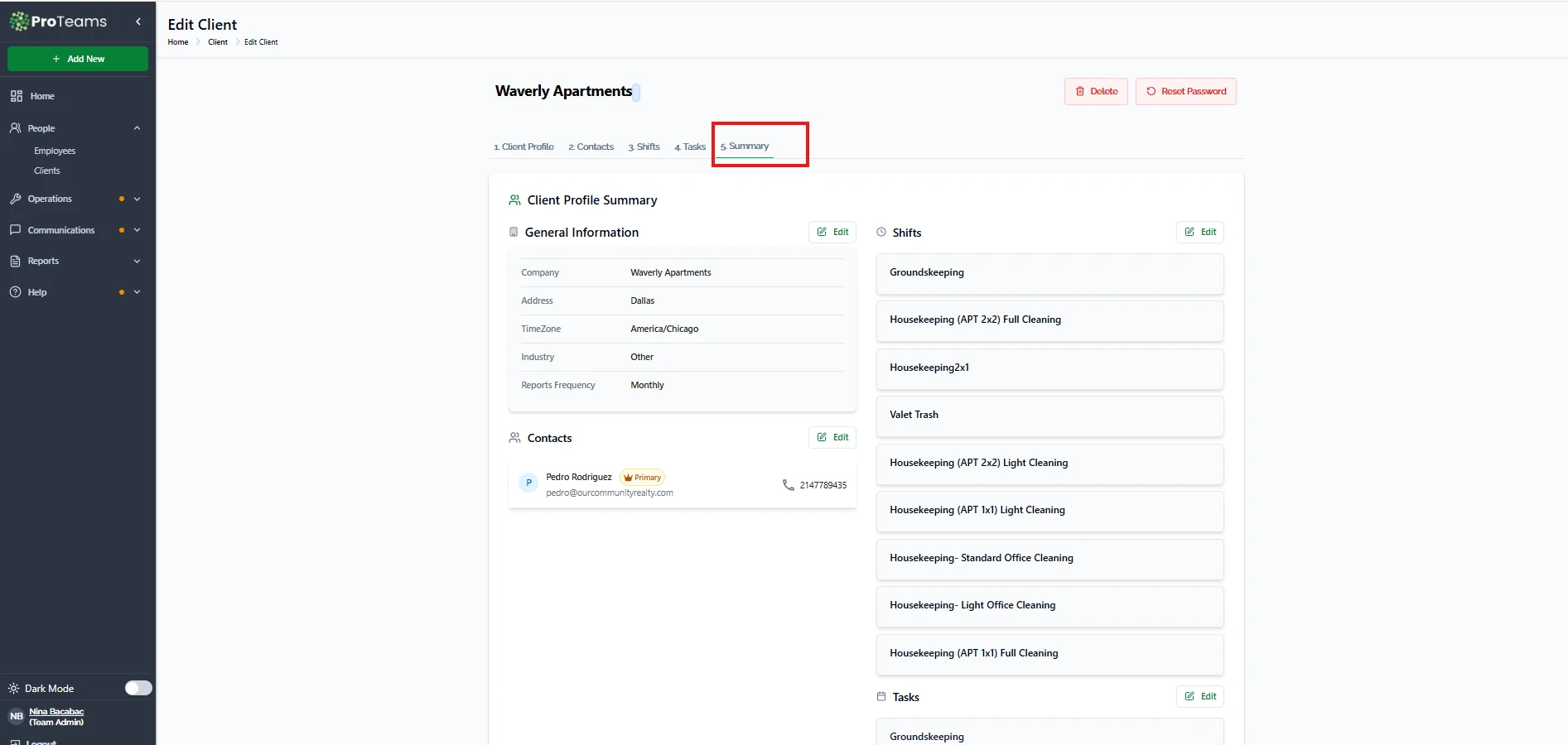
Inside a client’s profile, the Summary tab provides a consolidated view of the client’s setup and activity, such as:
- Client details
- Configured shifts
- Assigned tasks
- Overall operational readiness
This allows admins to quickly confirm whether a client is fully set up and actively managed.
How can I use the Client Summary?
You can use the Client Summary to:
- Quickly review all active clients
- Check which clients have the most or fewest shifts
- Identify clients that may need setup updates
- Confirm contact details at a glance
- Decide which client requires attention next
It reduces the need to open individual client profiles just to get basic information.
Summary
The Client Summary provides a clear, high-level snapshot of each client’s status, contact details, and shift activity. By using the Client Summary, administrators can efficiently monitor clients, identify gaps, and manage operations without unnecessary navigation.
Pull the Client Summary before any renewal conversation. It tells you the story of the account — and if there are compliance gaps or unresolved issues, you want to know that before the client brings it up.