Your crew needs supplies to do their job. When a request comes in, you need to know immediately — not when you happen to check that section. ProTeams makes sure you see it the moment you log in.
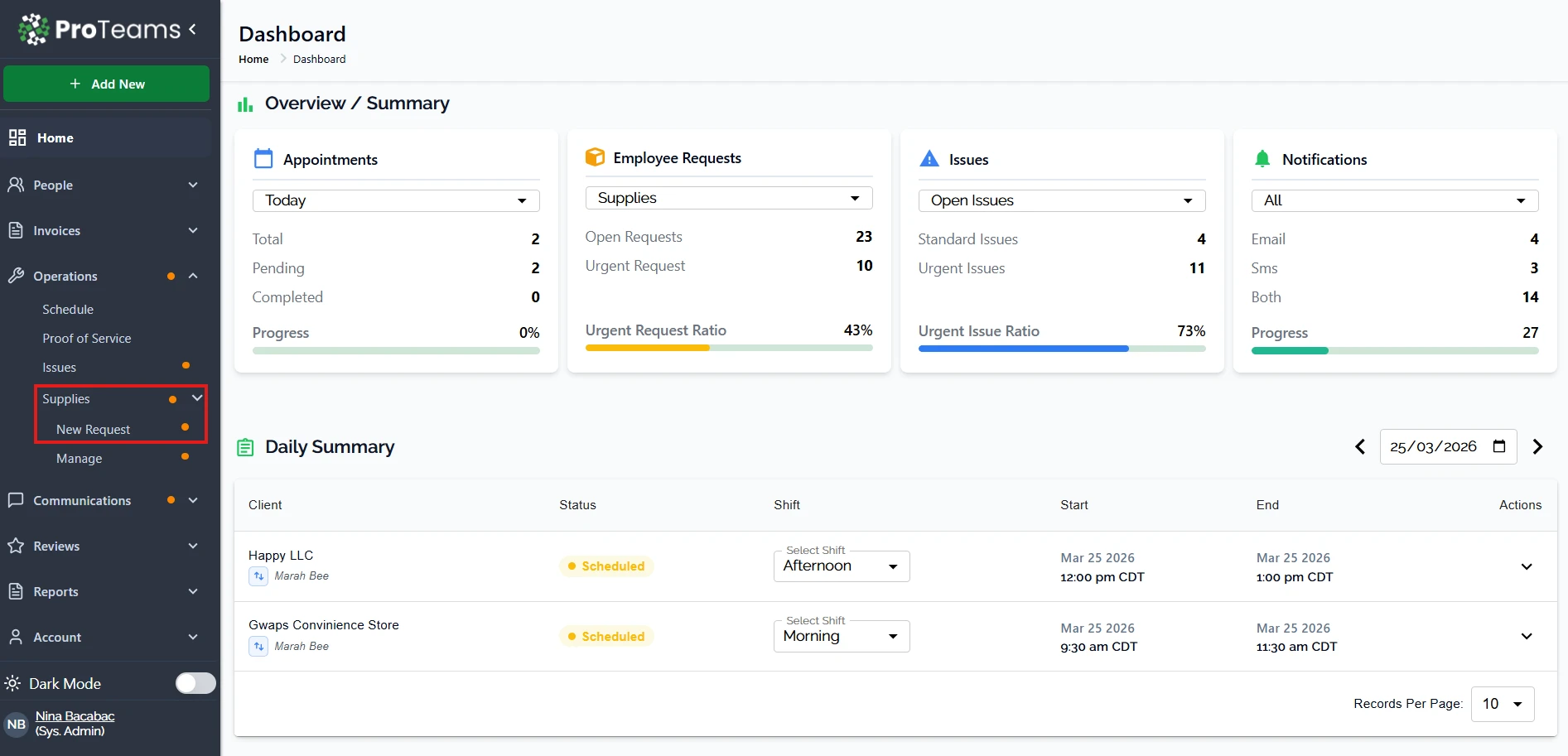
ProTeams uses visual notification indicators in the left navigation menu to alert you when there is a new or pending supply request that needs attention.
Sidebar Notification Indicator
When a new supply request is submitted, ProTeams displays a small orange dot next to:
- Operations in the main sidebar
- Supplies under the Operations menu
This dot is your first signal that there is activity waiting for review.
You do not need to open the page to see this alert. The indicator is visible as soon as you log in.
What the Orange Dot Means
The orange dot indicates that:
- There is at least one pending supply request
- Action may be required, such as review or approval
- The request has not yet been addressed
Once the request is reviewed or resolved, the indicator will no longer appear.
Supply Requests Page Overview
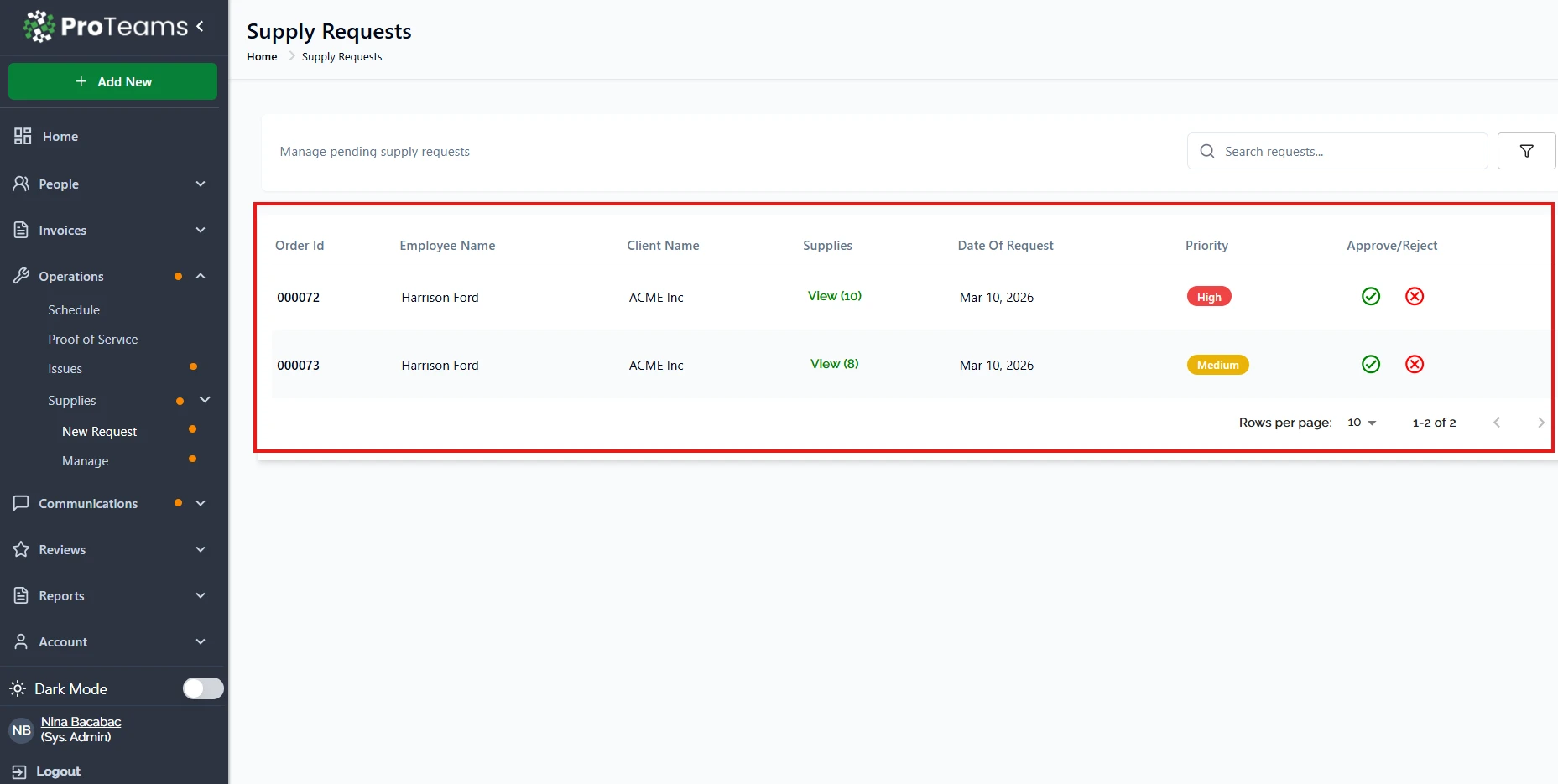
On the Supply Requests page, you can:
- View all pending requests in a table
- See details such as:
- Order ID
- Employee name
- Client name
- Requested supplies
- Date of request
- Priority level
- Approve or reject requests directly from this page
If there are no active requests, the table will show “No Records Found.
Search and Filter Tools
At the top of the page, you can:
- Use the Search requests field to find specific requests
- Use the filter icon to narrow results
This helps when managing multiple requests.
Best Practice
Check the Supplies section regularly, especially when the orange dot appears. This ensures supply requests are handled quickly and operations stay on track.
Summary
ProTeams notifies users of new or pending supply requests through a clear visual indicator in the left navigation menu. An orange dot appears next to Operations and Supplies to signal that one or more supply requests require review or action. This alert is visible immediately upon login and does not require opening the Supplies page. Once requests are reviewed or resolved, the indicator is removed. The Supplies page provides full visibility into request details, approval actions, and search and filter tools, allowing teams to manage supply needs efficiently and keep operations running smoothly
High-priority requests mean someone on your crew is short on something they need for an active shift. Check those first.